

OMRON C500-PRW05-V1 PLC
OMRON C500-PRW05-V1 PLC
Expansion I/O Backplane
Section 2
The Expansion I/O Backplane shown in the following diagram, can be used
to expand the C500 PC. An Expansion I/O Rack is just like a CPU Rack, ex
cept a CPU is not mounted. However, a Power Supply is needed for each
Expansion I/O Rack. There are three models of Expansion I/O Backplane
available.
I/O Power Supply
Just as a Power Supply must be mounted to the CPU Rack, a Power Supply
must also be mounted to each Expansion I/O Backplane. There are two
Power Supplies available; 100 to 120/200 to 240 VAC and 24 VDC, both of
which are explained below. For details, refer to Appendix B Specifications.
Model
6.5 A Not provided
Be sure to keep the total power consumed by all the Units mounted
on a Rack within the value stated in the table above. For example, do
not mount I/O Units with a total current consumption of 7A to a Rack
supplied by a 7 A Power Supply. As shown in the table above, the
available current for I/O Units is only 6.5 A. For details concerning
current consumption, refer to Section 4 System Connections
Connect a 100 to 120 VAC or 200 to
240 VAC power source
Short these terminals to select 100 to
120 VAC. Open them to select 200 to
240 VAC.
Ground this terminal at a resistance
of less than 100 Ω to improve noise
immunity or prevent electric shock.
Ground this terminal at a resistance
of less than 100 Ω to prevent electric
shock.
Use these terminals to supply power
to DC Input Units. Use a separate
Power Supply if the I/O Unit operate
on more than 0.8 A. If a current higher
than 0.8 A is output, the PC stops.
These terminals are used to supply
external DC Input Units. If the Unit re
quires more than 0.8 A a separate
supply must be used. The PC shuts off
automatically if a current of more than
0.8 A is drawn from the supp
Connect a 24-VDC power source (2.3
A min.)
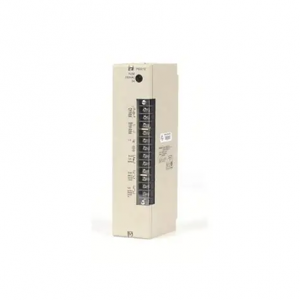
C500-PRW05-V1
Ground this terminal at a resistance
of less than 100 Ω to improve noise
immunity or prevent electric shock.
Ground this terminal at a resistance
of less than 100 Ω to prevent electric
shock.
I/O Control Unit
Section 2
An I/O Control Unit must be mounted to the CPU Rack in order to connect
the CPU Rack to an Expansion I/O Rack. An I/O Control Unit can be
mounted even if no Expansion I/O Rack is used.
2-6
2-7
A-shape
I/O Interface Unit
An I/O Interface Unit is needed on each Expansion I/O Rack, in order to ex
pand the PC. If there is not an I/O Interface Unit on each Expansion I/O
Rack, data communication cannot take place. The I/O Interface Unit is
mounted to the leftmost I/O position on the Expansion I/O Backplane.
I/O Units
I/O Units come in 5 shapes; A-shape, B-shape, C-shape, D-shape, and E
shape. Refer to Appendix B Specifications for the dimensions of each Unit