

HONEYWELL 51109919-100 BOARD
HONEYWELL 51109919-100 BOARD
LOCK BUTTON-
LOCK—
Use to protect the picture information from unintentional operation of the control
buttons.
When the LOCK BUTTON is pressed, you will hear a beep and the
following control buttons will be locked and stop operating: TONE,
AUTO SIZE/POSITION SET UP, RRC, TRAPEZOID, PCC,
V-SIZE, V-POSITION, H-SIZE, H-POSITION.
When you try to use the locked control buttons, you will hear short
beeps as an alarm.
To release the locked condition, press the LOCK BUTTON again, and
you will hear a beep and the control buttons will start working again.
DEGAUSS BUTTON-
DG-
Use to cancel magnetism when swiveling or moving the monitor causes poor purity
The button operates for approximately 10 seconds and goes off
automatically.
Note:- Degauss occurs automatically on power on and it is best to
leave 30 minutes between each degauss operation
AC INPUT CONNECTOR-
Connect to the AC outlet with the supplied AC power cord.
Note:- Make sure the POWER SWITCH is turned OFF before connecting the
power cord.
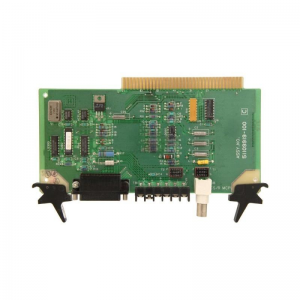
51109919-100
15PIN D-SUBSIGNAL INPUT CONNECTOR-
Allows equipment having analog RGB output to be connected.
BNC SIGNAL INPUT CONNECTORS-
Allows equipment having analog RGB output to be connected.
BNC INPUT VOLTAGE SWITCH (.07V/1.0V)-
Used to select the appropriate BNC video input voltage for your equipment.-
Set to 0.7V for 0.74 volt peak to peak or 1.0V for 1.0 volt peak to peak.
BNC IMPEDANCE SELECT SWITCHES (VIDEO: ¥/75W,
SYNC: 4.7KW/1KW)–
Select 75W for the line impedance.
If the monitor is used in a loop-through operation, set these switches to the left
(¥ for video, 4.7KW for sync). For single unit operation, or when the monitor
is the last unit in a loop-through string, set the switches to the right (75W for
video, 1KW for sync). The switches of the unused BNC SIGNAL INPUT
CONNECTORS should also be set to the right.
TILT-SWIVEL STAND-
Allows the screen angle to be adjusted by 90 degrees horizontally, 15 degrees
up and 5 degrees down.