

AEROTECH Automation1 iSMC Intelligent, Software-Based Motion Controller
Automation1 iSMC Intelligent, Software-Based Motion Controller
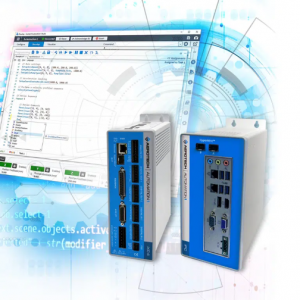
Our Automation1 Software-Based Machine Controller (iSMC) tightly integrates precision motion with process control. Whether you’re programming a simple move, building a complete machine or doing something in between, the Automation1 iSMC delivers high-quality automation and improved throughput.
Because the iSMC integrates with our user-friendly Automation1 Motion Development Kit, you’ll quickly configure and develop your application, easily set up control devices and enjoy programming with features like intelligent autocomplete, context sensitive help, EasyTune®, live build checking, a variable and I/O watch window, and more.
Capable of running a PC-based or drive-based hardware platform, the iSMC allows you flexibility in deploying a wide variety of motion control solutions.
Multi-Axis Precision Motion
Command up to 32 axes of servo/stepper and laser scan head motion over the HyperWire® fiber-optic communication bus to Automation1 drive hardware.
Coordinated Motion
Calibration and Corrections
Gantry Control at Lightspeed
Motion Made Easy
iSMC
Choose from seven homing functions for each axis: speed, distance and distance hold jogging controls; axis in position verification and axis stability verification; incremental motion; geared motion; camming motion and freerun motion commands.
Do More with AeroScript™
Improve Following Error
Control Your Process
Use Position Synchronized Output to control industrial lasers, cameras and more with less latency. Set analog outputs based on motion conditions like vector velocity. Complete on-the-fly end point modification, high-speed registration, constant force generation, spindle control and more.
Custom Interfaces
Secure Machine Control
Easily Access Data
Access data quickly through the Studio application and libraries. More than 100 axis status items, 50 task status items and 25 system-level status items are available to collect, and each can be displayed using the data visualizer, written to a file and exported to a Windows file.
Fast Data Capture Rates
Advanced I/O Features
Frequently Asked Questions