

HONEYWELL 51401642-150 I/O LINK MODULE
HONEYWELL 51401642-150 I/O LINK MODULE
The following files are provided in the PICS volume to support the KEY_LOCK display:
• KEYLOCK.DS
• KEYLOCK.DO
• S_OPER
• S_SUPV
• S_ENGR
Display source file
Display object file
Operator target subpicture
Supervisor target subpicture
Engineer target subpicture
You can incorporate the subpictures in any of your custom displays, to allow keyswitch
level changes from those displays.
For information about the picture editor, refer to the Picture Editor Reference Manual in the
Implementation/Engineering Operations – 2 binder and Picture Editor Data Entry in the
Implementation/Engineering Operations – 3 binder.
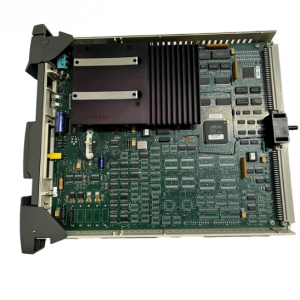
51401642-150
5.3.3.2 Changing the Password
At a US with the Universal Personality running and an Engineering Keyboard connected,
you can use the Picture Editor to edit the KEYLOCK source file to change the passwords,
and then recompile the picture to make the new passwords effective. The general
procedure is (press Enter after each command):
• Read the source file into the Picture Editor. The command is
Read Net>&PICS>Keylock.
• Key in the command: Set Textsize Large.
• Select the SUPV box. The command is Select Variant. Move the cursor just
above the SUPV box and press the Select key. Move the cursor just below the
SUPV box and again press the Select key. When you press ENTER, the SUPV
box should turn white and blink.
• Key in the command: Modify Variant.
• When the Variant screen Form appears, locate the words in quotation marks. These
are the passwords. “TDC3000 SUPV” is the string for Supervisory level, and
“TDC3000 ENGR” is the string for Engineering level.
• Type a new character string over the old string to change the password for that
authorization level (hold down CTL and press TAB to move the cursor). Delete extra
letters or spaces within the quotes by pressing the DEL CHAR key. If you need to
add letters, press the INS CHAR key first. Lowercase letters can be used only on a
US with an Engineer’s keyboard, so do not use them in a password if the password
must be entered from a US that has only an Operator’s keyboard.
• Press ENTER after all the changes have been made. The keylock picture returns.
• Compile the picture. The command is: Compile Net>&D01>Keylock.
At a station with the Operator Personality running, perform the Area Database change
procedure except select the same area that was running before. You must either do this or
reload the US to make the newly compiled keylock picture available
| HIMA | F-IOP 01 |
| ABB | PFTL-301E 3BSE019050R1000 |
| ABB | PFEA111-65 |
| Siemens | 6SY7010-0AB35 |
| Siemens | 6SE7038-6GL84- 1JA1 |
| Siemens | 3RH1921-1DA11 |
| Siemens | 6SE7 090-0XX84-1CE0 |
| ABB | 419B0042 ABB 87B |
| ABB | Spad 330C |
| ABB | 3BDH000734R1 CBC 11-P |
| ABB | 3BDH000610R1 CAC 10-P |
| Bentley | 330130-040-12-00 L=4M |
| Bentley | 330103-00-04-10-12-00 |
| WOODWARD | 8406-113 |
| KONGSBERG | RMP201-8 SERIAL:21620 324400 |
| ABB | 83SR04/R1411 GJR2390200R1411 |
| HRS1150-9000 | |
| GE | IC200MDL750J |
| GE | IC200MDL650F |
| RH926SP FBM218 |