

Honeywell TDC‑3000 NIM Network Interface Module 51304481‑100
TDC‑3000 NIM Network Interface Module 51304481‑100
The optional Enhanced Programmable Logic Controller Gateway (EPLCG) allows
connection to various Programmable Logic Controllers. You must configure your EPLCG
and prepare the other end of the RS232 cable(s) according to the PLC (and modem) you are
using. Refer to the EPLC Gateway Planning, Installation & Service manual in the
Implementation/EPLC Gateway binder and the manuals with your PLC for more detailed
information.
1. Remove the rear center-section cover of the tower and check that the pinning header is
plugged into the OTHERS socket near the top right side of the PLCG relay panel (refer
to Figure 2-19).
2. Connect the PLCG RS232 cable (51304514-100) to either PORT 1 or PORT 2 on the
PLCG relay panel (see Figure 2-19). Use a small screwdriver to tighten the screws (2)
on the connector.
An additional cable may be connected to PORT 2 or PORT 1 (see Figure 2-19) if your
PLC configuration uses it. Use a small screwdriver to tighten the screws (2) on the
connector.
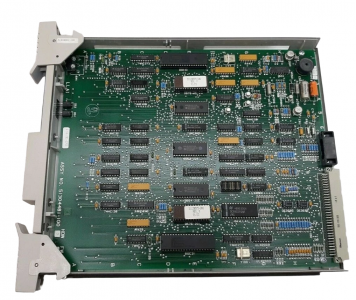
51304481‑100
4. Using a cable-tie (51190879-001) on each cable, fasten the cables to their strain-relief
clamps (marked OPTIONS in Figure 2-5 or 2-7) on the lower transition panel
The LCN upgrade kit can connect a base Enhanced Micro TDC3000 systems into a standard
LCN system. There are 6 different LCN upgrade kits: one to accommodate either 5 or 7
empty chassis for nodes to be moved into. The installation process is fairly involved in that
those nodes not associated with the Universal Station node will have to be moved from the
Enhanced Micro TDC3000 towers to individual 5-slot modules located in an LCN cabinet.
The 5-slot modules in the cabinet come equipped with a power supply and fan mounted in the
cabinet and coax cabling already assembled.
The History Module Drive must also be removed from the Enhanced Micro TDC3000 and
reassembled in the WDA Module located in the cabinet.
Up to two Universal Station (US) nodes may remain in the Enhanced Micro TDC3000 to
function with the coax interface, but must be relocated to appropriate slots. (Additional USs
will each require an additional Enhanced Micro TDC3000 tower with multinode module and
power supply.) The remaining slots can no longer be used and blocking panels are included
with the upgrade kits. LCN coax connections from the console to the LCN cabinet and the
cabinet to the LCN system must then be performed. Different configurations are allowed for,
but there are a number of constraints to keep in mind. These constraints are listed in the
upgrade kit instructions.
Finally, you will need to reassign node numbers in the Enhanced Micro TDC3000 to ones
that are compatible with the LCN system. Node reassignment is described in LCN Guidelines- Implementation, Troubleshooting, and Service in the LCN Installation binder.
Detailed
directions for performing this upgrade can be found in the MX-ZUKB50. 51. 52. or MX
ZUKB70. 71. 72 Upgrade Kit Installation Instructions. The instructions you receive with the
upgrade kit will depend on the number of nodes being upgraded